Infolinks

Monday, September 5, 2011

My first Award, Liebster Award.

3 comments
Hi, I am back from my vacation, I want to thank you rovie to give me this award, Liebster Award. I am so happy. So what it mean by Liebster Award, "Liebster" is a German word which means "favourite" or "beloved, so how it work, you should link back to me and pass it along to five other bloggers who have less than 200 followers. So the five Liebster Blog Awardees are:
The Storm Blogger (StormBlogger) 


Friday, August 26, 2011

Learn digital scrapbooking

1 comments
I want to learn digital scrapbook, I choose smilebox to start, start knowing what is scrapbook, and how you make it with your own, it is very fun learning. Today my lesson is using premade design and just uploading  photos I want, drag and drop, type few words, that's it, my baby scrapbook done. Next time I will try do it my self with my own design.
Click to play this Smilebox scrapbook
Create your own scrapbook - Powered by Smilebox
Create a free digital scrapbooking design


Holiday

1 comments

I am going to vacation, will be start from tomorrow 27th of August until 3rd of September, I am going home, but first i will go to Kuantan (my husband's home town) then the next step is Penang ( my home town). Here I would like to bless everybody Happy eid and Happy Independence Day to Malaysia.


Credited by Scrapbookflair.com

Tuesday, August 23, 2011

Make Baby Generator

2 comments
Today I am just as normal for blog walking, and stop by at Blinkky.com, I found this from old post by Blinkky.com, it's just for fun that you can see your babies' face in future by using make me babies' generator. Here I make one, I got my baby girl, so I just hope that the next one will be baby boy. Try it yourself today.


babies
What do you think about my little new baby K.Y?
MakeMeBabies.com - What will your baby look like?


Monday, August 22, 2011

momdaybreak | Digital Scrapbooking at Scrapbook Flair

0 comments
momdaybreak | Digital Scrapbooking at Scrapbook Flair
This time I used scrapbookflair's software to create my daughter's two years old's birthday with scrapbookflair's free kit.


Credited by ScrapBookFlair.com

Wednesday, August 17, 2011

Upload Favicon Icon

0 comments
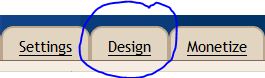
Today I just learn how to upload my favicon icon, fisrt you need to have an icon with 16 x 16 size image actually, no more no less, go to "design",
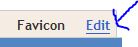
look for favicon element then click edit, upload your image, then you can check it through your url, for example: http://yoururl.blogspot.com/favicon.ico. After that, you need to add code between
<head>
<link href='http://yoururl.blogspot.com/favicon.ico' rel='icon' type='image/x-icon'/> <link href='http://yoururl.blogspot.com/favicon.ico' type='image/x-icon'/>
</head>

That's it, you are done. Congratulation!

Tuesday, August 16, 2011

Change Blog Header

1 comments
I change my blog header to another header images, because I can't get it fit, so I search for another header image, so I found this website, BlogDesignsByDani , i like this header, fit and neat.


Infolinks In Text Ads